You've probably seen it a thousand times without even thinking about it. A company's logo smoothly building itself on screen. The opening credits of your favorite TV show, where text and shapes dance together in perfect sync.
That, my friend, is the magic of motion graphics design.
Think of it like this: if a regular picture is a still photograph, motion graphics is a short video that brings that photo to life—with energy, style, and a clear message.
What Is Motion Graphics Design?
At its heart, motion graphics is the art of taking graphic elements—like text, shapes, logos, and images—and making them move to tell a story or explain an idea. It’s not about drawing cartoon characters for a movie. Instead, the main goal here is to make information more exciting and way easier to understand.
This cool technique can take boring data or tricky concepts and turn them into a fun visual experience. By adding movement, a designer can guide your eye, highlight the most important parts, and even make you feel something. It’s a fantastic way to grab attention in a world where everyone is scrolling.
The Building Blocks of Motion Graphics
While the final product always looks slick and effortless, it’s actually built from a few key parts working together.
- Typography: Moving text is a game-changer. Words can fade in, slide across the screen, or grow bigger to really make a point and set the mood.
- Shapes and Abstract Forms: You'll often see circles, squares, and lines used to create cool backgrounds, smooth transitions, or just add a bit of visual spice that doesn't steal the show.
- Pacing and Timing: The speed of the animation is everything. Quick, snappy movements create excitement, while slow, graceful movements can feel more serious and elegant.
Motion graphics is basically graphic design that moves. It takes the classic rules of art class—like composition and color—and adds the awesome element of time.
To really get what motion graphics design is, you have to see it as a powerful way to communicate. It’s the visual language that helps explain complicated ideas, introduce a brand, or just make a video more fun to watch.
Here's a quick breakdown to pull it all together:
Motion Graphics at a Glance
| Element | What It Is | Example |
|---|---|---|
| Graphic Design | The visual foundation—logos, text, color, and layout. | A company's logo and brand colors just sitting there. |
| Animation | The "motion" part—bringing those still parts to life. | Making the pieces of the logo fly in and snap together. |
| Time | The speed and flow that creates the vibe. | A fast, high-energy intro vs. a slow, thoughtful explainer. |
| Sound | Music or sound effects that make the visuals even better. | A "swoosh" sound as text appears or cool background music. |
From the slick animations in an app to the bold intro of a YouTube video, motion graphics are absolutely everywhere. They make our daily digital lives more colorful, engaging, and super clear.
Motion Graphics vs. Animation vs. VFX: What’s the Difference?
It’s easy to get motion graphics, animation, and visual effects (VFX) mixed up. They all involve moving pictures, right? But if you look closer, you'll see they are totally different jobs. Think of them as creative cousins—they're related, but each has its own personality.
Understanding these differences is key to knowing what motion graphics design is and why it’s such an awesome communication tool.
Motion Graphics is About Communicating Ideas
At its core, motion graphics is all about bringing static design elements to life. We're talking about making logos fly across the screen, turning boring charts into cool infographics, and making text pop. The main goal isn't to tell a deep story with characters, but to make information fun and easy to get. It’s design, but with movement.
Animation is About Telling Stories
Animation, on the other hand, is the art of storytelling. When you think of a classic Disney movie or a modern Pixar film, that's animation. Its whole purpose is to build worlds and create characters that make you feel something.
Animators are storytellers who use movement to create the illusion of life and personality, often building a whole plot from scratch, one drawing at a time.
VFX is About Bending Reality
Then you have VFX, or visual effects. This is the magic that blends computer-generated images (CGI) with real-life video. VFX artists create things that would be impossible, too dangerous, or just way too expensive to film for real. Every time you see a superhero flying through the sky or a huge explosion in a movie, you're watching VFX at work.
The goal here is to make it look completely real. VFX artists are like magicians, seamlessly adding digital creations into our world to make the impossible look believable.
To put it simply: Motion graphics explains, animation tells a story, and VFX fakes reality.
This might still feel a little fuzzy, so let's put it all side-by-side to make things crystal clear.
Motion Graphics vs. Animation vs. VFX
| Discipline | Main Goal | What's in it? | Common Example |
|---|---|---|---|
| Motion Graphics | To communicate or explain an idea | Moving text, logos, charts, abstract shapes | The intro for a news show or a cool explainer video. |
| Animation | To tell a story with characters | Illustrated characters, made-up worlds | A full-length animated movie or a Saturday morning cartoon. |
| VFX | To add to or create realistic scenes | Explosions, fantasy creatures, digital backgrounds | Adding a dragon into a live-action battle scene in a TV show. |
So, which one do you need? It all comes down to your goal.
If you need to make boring data exciting or brand your video with a slick intro, motion graphics is your best friend. If you want to tell a character-driven story from scratch, you'll need animation. And if you need to add something impossible to your real-life video, VFX is the tool for the job.
Where You See Motion Graphics Every Day
Now that you know the difference, get ready to see motion graphics everywhere. Seriously. It's not some rare art form; it’s woven into our digital world, quietly making things easier to understand and way more fun to look at.
Once you know what to look for, you'll realize it’s been there all along. From the little animation that plays when you unlock your phone to the slick title sequence of the show you stream at night, motion graphics are constantly at work.
This isn't by accident. There's been a massive 76% spike in the use of motion graphics over the last five years. It's all because we crave engaging content, especially in the U.S., where the graphic design industry is on track to become a $19.5 billion market by 2025.
On The Big And Small Screen
Think about the last series you binge-watched. That opening title sequence? The one with the cool music and the actors' names flying across the screen? That’s pure motion graphics, and its job is to set the whole mood for the show in less than a minute.
You’ll also see it all over TV in places like:
- News Broadcasts: Those moving graphics at the bottom of the screen with a reporter's name, the spinning globe logos, and the dynamic charts that pop up are all motion graphics.
- Sporting Events: When a player's stats slide onto the screen during a replay or team logos animate during a transition, you're watching motion graphics.
- Commercials: So many ads use moving text and logos to grab your attention and make sure you remember their brand.
In The Palm Of Your Hand
Your smartphone is basically a motion graphics playground. Every tap, swipe, and notification often has a tiny animation that makes the experience feel smooth and satisfying.
Motion graphics in apps and websites are like visual high-fives. They don't just look cool—they confirm your actions and help you figure out where to go next without needing extra words.
That little bounce an icon does to get your attention? The way a menu slides smoothly into view instead of just popping up? That’s motion graphics design making technology feel more human. And don't even get me started on social media feeds—they're packed with short, snappy video ads and animated posts designed to make you stop scrolling.
For Creators And Businesses
For anyone trying to build an audience or a brand online, motion graphics aren't just a nice-to-have; they're essential. Your favorite YouTubers and streamers use them all the time to give their channels a professional look and create a memorable vibe.
One of the best tools they use is a polished, animated intro. It’s the first thing viewers see, and it instantly says, "Hey, this is a quality channel." If you want to learn more about that, we've put together a guide on how to make a video intro that really hooks people.
Beyond that, businesses are obsessed with explainer videos. These short, animated videos are perfect for taking a complicated product and breaking it down into simple, fun visuals. Let's be honest, it’s way more effective than making someone read a huge wall of text.
The Tools and Workflow of a Motion Designer
Ever wondered how those slick animations are actually made? It's not witchcraft, but a mix of creative ideas and some seriously powerful software. Motion designers are like digital artists, using a special set of tools to bring their visions to life.
The Motion Designer's Toolbox
The king of the motion graphics world is, without a doubt, Adobe After Effects. I like to think of it as the main headquarters where everything comes together. You take your still pictures—logos from Illustrator, photos from Photoshop—and this is where you make them move. It’s the industry standard for a reason, perfect for setting keyframes, adjusting timing, and adding effects to create awesome 2D motion.
But what if you need to go beyond a flat, 2D look? That’s when you enter the world of 3D.
Adding a Third Dimension
Sometimes a project just needs more depth and realism. That's where 3D software completely changes the game.
Tools like Blender and Cinema 4D let designers build and animate objects in a real 3D space. We’re talking realistic lighting, detailed textures, and a sense of scale that’s just impossible to fake in 2D. Blender is a total powerhouse and it’s free, which has made it super popular. Cinema 4D, on the other hand, is known for being a bit easier for beginners to learn. If you're looking to try it out, we actually have a whole guide on the best 3D animation software for beginners.
This isn’t just for a few experts, either. The animation market is a global giant. It's expected to reach an incredible $400 billion by 2025, mostly because we can't get enough fresh content on social media and streaming services. You can learn more about this animation industry trend on Vidico.com.
A Look at the Creative Process
So, how does a project go from a simple idea to a finished animation? It’s a step-by-step process that makes sure the final video looks great and gets the message across. While every project is a little different, the journey usually follows the same path.
- Concept and Storyboard: It all starts with an idea. The designer will often sketch out a storyboard—think of it as a comic book version of the animation. This visual plan maps out the main scenes and helps everyone agree on the plan before any real animation starts.
- Asset Creation: Next, it’s time to make all the visual pieces. This means designing illustrations, creating text, and preparing logos in a program like Adobe Illustrator. These are the raw ingredients that will soon come to life.
- Animation: This is where the magic happens. All those assets are brought into After Effects, and the designer starts making them move. This is all about setting the timing, smoothing out the movements, and adding transitions to make everything flow perfectly.
- Sound Design and Rendering: The final touch is adding music and sound effects to really set the mood. Once everything is perfect, the project is rendered. This is when the computer processes everything into a final video file, ready for the world to see.
For anyone looking to get more productive, learning about improving workflow efficiency can be a huge help in making these steps go faster.
Getting Started with Your First Motion Graphics Project
So, you're pumped to jump in and create some motion graphics? Awesome. Going from knowing about it to actually doing it can feel like a big step, but it’s easier than you think. The secret is to just break it down, whether you’re a creator making it yourself or a business owner looking to hire someone.
If you plan on making your own animations, don't just open After Effects and start clicking around. That’s a fast track to getting frustrated. The real first step is planning. Grab a pen and paper (or a tablet) and sketch out a basic storyboard. It doesn’t have to be perfect—just a few simple drawings to map out your scenes. This visual roadmap will be your best friend.
This workflow shows you the main stages of almost any motion graphics project.
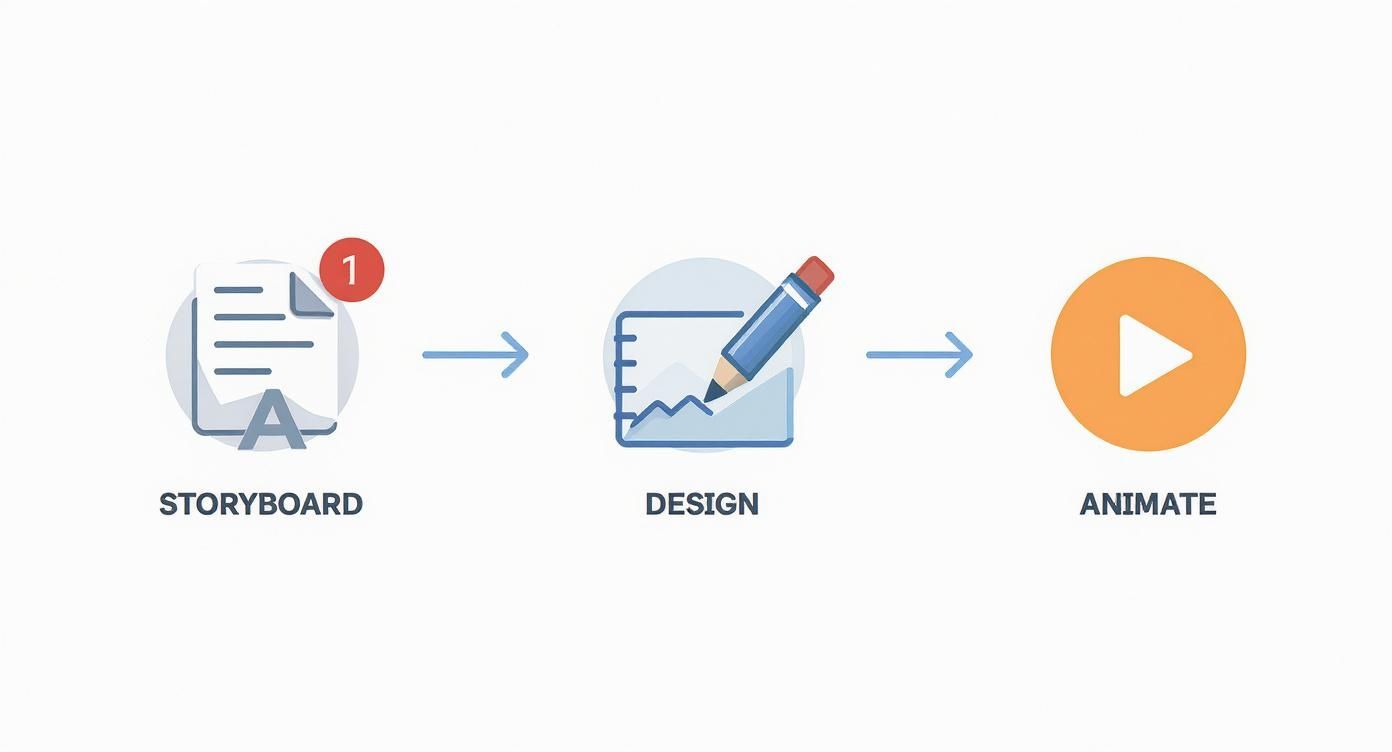
As you can see, a solid plan (the storyboard) comes first. From there, you create your art before you ever start animating.
Tips for New Creators
If you're the one in the driver's seat, remember this: less is more. Seriously. Your goal is to create short, punchy animations that get one simple idea across.
Templates are also an amazing way to learn. They give you a project that's already built, letting you look under the hood to see how the pros do it. If you're just starting, figuring out how to use templates for your videos can speed up your learning and help you get a polished look, fast.
The best motion graphics aren't always the most complicated. Being clear and making an impact is way more important than flashy effects that just distract from your message.
Finding the right idea is half the battle. If you need a little inspiration, check out some of these YouTube video ideas for beginners—many of them would be perfect for a motion graphics boost.
Advice for Business Owners
Hiring a designer? Your role is super important, too. The absolute best thing you can do is write a clear creative brief. This is your chance to explain your vision.
Your brief should cover:
- What's the goal of this video?
- Who are you trying to reach?
- What is the #1 most important message?
- What are your brand colors, fonts, and logos?
This document connects your idea to the designer’s work. It’s the key to getting exactly what you want.
And what about the cost? The good news is that motion graphics are more affordable than ever. For 2025, the average cost for a 60-second video is around $3,130, but the price can change a lot based on how complex it is. Simpler projects, like an animated logo, are much cheaper and often cost between $300 to $1,000. Setting a realistic budget from the start helps keep everyone happy.
Let's Bring Your Vision to Life
So, you've seen what motion graphics can do. It's an amazing way to share ideas and build a brand that people remember. But going from a cool idea to a finished, professional-looking video takes time, skill, and the right creative touch.
That’s where we come in.
At Priyansh Animations, we make getting awesome visuals easy. We're a team that loves to jump into new projects and work closely with our clients. Think of us as your creative partners, here to make sure every detail is just right.
Motion graphics aren't just moving pictures. They're a shortcut to your audience, able to explain tough ideas and build trust in just a few seconds.
Whether you need a slick logo that pops, a clear explainer video, or some eye-catching clips for social media, we’ve got you covered. For creators, that first impression is everything. A polished intro can make all the difference. We've even put together a guide on how to get a professional intro for your YouTube channel.
Ready to get started? Let's chat. Reach out for a free consultation and we can figure out how to bring your ideas to life.
Frequently Asked Questions About Motion Graphics
Even after all that, you might still have a few questions. Let's tackle some of the most common ones and clear things up.
Do I Need to Be a Good Artist to Learn Motion Graphics?
Not really. While being artsy definitely helps, motion graphics is often more about good design than it is about being able to draw. It's about getting a feel for timing, spacing, and making text and shapes move in a cool way.
Lots of motion designers build great careers using pre-made art or just focusing on animating text and shapes. Honestly, a good sense of rhythm and layout is often way more important than being able to sketch a perfect portrait.
How Long Does It Take to Make a 1-Minute Motion Graphics Video?
Ah, the classic "it depends" question! But the answer tells you a lot about the process. The biggest thing that changes the time is how complex the video is.
A simple video with basic text and shape animations might take a pro somewhere between 15-25 hours from start to finish. But if you're talking about a super detailed video with custom drawings, tricky transitions, and 3D parts, that number could easily jump past 100 hours. You have to think about writing the script, making the storyboard, creating the art, animating, adding sound, and making changes—it all adds up.
What Is the Best Software for a Beginner in Motion Graphics?
If you're just starting out, you can't go wrong with Adobe After Effects. It's the industry standard for a reason. It's incredibly powerful, but more importantly, there's a huge online community. You can find a tutorial for almost anything you can think of, which is a lifesaver when you're learning.
Feeling adventurous and want to try 3D? Check out Blender. It’s a super powerful 3D program that’s completely free. It’s a fantastic, no-cost way to add another dimension to your work.
A common myth is that you need to master every tool out there. The reality? Most designers become experts in one or two main programs and build their whole process around them.
Can Motion Graphics Help My Business's SEO?
Indirectly, yes! While Google can't literally "watch" your video, motion graphics can have a huge positive impact on things that search engines care about.
When you put a cool, engaging motion graphics video on your website, people tend to stick around longer to watch it. This increase in "dwell time" tells search engines that your page has valuable stuff on it, which can help boost your rankings. Plus, videos on platforms like YouTube can send a lot of traffic back to your main site.
We get questions like this all the time. If you're curious for more, feel free to explore our full frequently asked questions section for more in-depth answers.
At Priyansh Animations, we don't just talk about these concepts—we bring them to life every single day. Whether you need a powerful intro, a crystal-clear explainer video, or dynamic branding that moves, our team is ready to help you create visuals that truly connect with your audience. https://www.priyansh.net