A killer video intro is your secret weapon to stop people from scrolling past your content. Not long ago, you needed expensive software and serious tech skills to make one. Now, a video intro maker online changes everything. It lets anyone create a pro-level opening in just a few minutes. These tools are a lifesaver for creators and businesses who want to look awesome without spending a ton of money.
Why Your First Few Seconds Matter Most
Let's be real—people's attention spans are super short. You've got a tiny window, maybe just three to five seconds, to convince someone your video is worth watching. A powerful intro does more than just look cool; it’s a smart move that hooks your audience right from the start.
Imagine a new YouTuber trying to grow their channel. A slow, boring start is like telling viewers to click away before the good stuff even begins. But a sharp, branded intro? That immediately screams "quality" and tells the viewer what they're in for.
Building Instant Brand Recognition
Your intro is like your digital handshake. It’s the perfect place to flash your logo, brand colors, and tagline every time. Doing this over and over builds a connection, making your content instantly recognizable in a huge sea of videos. For a small business, that polished first impression can make you look like a much bigger, more established company.
The demand for easy-to-use video tools is blowing up. The market for online video platforms, which includes tools like intro makers, is growing like crazy. It's expected to jump from $10.3 billion in 2023 to over $57.2 billion by 2033. This shows just how important video has become for everyone, from solo creators to giant corporations.
Setting the Tone and Boosting Watch Time
The right intro doesn't just look good; it makes your audience feel something. Are you going for high-energy and exciting? Or maybe calm and informative? The music, speed, and visuals in those first few seconds set the whole mood.
A great video intro acts as a promise to your viewer. It tells them, "Stick around, what's coming next is worth your time." This promise, when you deliver on it, is key to getting people to watch longer.
By starting strong, you seriously increase the chances that people will stick around for your whole video. This is huge for boosting your stats on platforms like YouTube, telling the algorithm that your content is engaging and valuable.
If you're brainstorming how to kick off your content, you can find a ton of inspiration here: https://www.priyansh.net/ideas-for-introductions/
A professional video intro maker online gives you the power to create that perfect, attention-grabbing opening every single time.
To really get what makes an intro work, let's break down the essential parts.
Key Elements of a High-Impact Video Intro
| Element | Why It's Important | Quick Tip |
|---|---|---|
| Brand Logo | Shows who you are and helps people remember you. | Animate your logo to make it more eye-catching and fun. |
| Clear Messaging | Quickly tells viewers who you are or what the video is about. | Use a short, catchy tagline or the video's title. |
| Compelling Music/Audio | Sets the mood and emotional vibe right away. | Match the music's speed to your video's energy level. |
| Short Duration | Respects your viewer's time and gets to the good stuff quickly. | Aim for 3-7 seconds. Anything longer and you risk people leaving. |
| High-Quality Visuals | Makes you look professional and trustworthy. | Always export in the highest quality you can (like 1080p or 4K). |
Having these pieces in place ensures your intro isn't just a throwaway clip but a powerful tool for your brand.
Finding the Perfect Online Intro Maker for You
Jumping into the world of online tools can feel like a lot. With so many options out there, how do you find the right video intro maker online that actually works for you, without wasting hours on bad trials? The trick is to ignore the noise and focus on what you actually need to make your creative ideas happen.
It's not about finding the tool with the most features. It’s about finding one that gets your style and is easy for you to use. A gaming creator, for example, is going to want templates with flashy graphics and fast animations. A business coach, on the other hand, needs something that feels clean, professional, and instantly builds trust.
The sweet spot is always that perfect mix of creative freedom and total simplicity. You want a tool that lets you create something that feels like you, without needing a film degree to figure it out.
What to Look for in an Intro Maker
Before you even think about signing up, look for a few key things. First up is the template library. A great intro maker isn't just about having tons of templates; it's about quality and variety. Do the designs look modern and cool, or are they stuck in 2010? A good library will have categories that make it easy to find a starting point, whether you have a tech review channel or a lifestyle blog.
Next, check out how easy the editor is to use. The best tools just feel right. You should be able to drag your logo into place, change the text, and pick new colors without getting lost in a bunch of menus. Most of these online tools are built for beginners, so if you feel confused in the first five minutes, it’s probably not the right one for you.
A truly great video intro maker doesn't just hand you a template; it gives you an easy-to-use canvas to make it your own. The goal is to spend your time creating, not fighting with the software.
Finally, look at the customization options. Can you upload your own fonts? Can you type in the exact hex codes for your brand colors? These little details are what turn an intro from looking generic to feeling uniquely yours. For anyone serious about their brand, these features are a must-have.
Matching the Tool to Your Needs
Ultimately, the best choice often comes down to where you'll be using the intro. Making a killer opening for a YouTube channel, for example, has its own set of rules. If that's your main platform, our special guide on finding a great video intro maker for YouTube has more specific advice.
A great way to see what's out there is to check out what the top tools are offering. This list of the 10 best AI video generators is a fantastic place to start. Many of these have powerful intro-making features that can give you a clear idea of what’s possible today.
At the end of the day, picking the right tool is a personal choice that depends on three simple things:
- Your Style: Does the tool's overall vibe match your brand's personality?
- Your Budget: Are you looking for a free tool for a quick project or a paid plan with better features?
- Your Time: How fast do you need to go from an idea to a finished video?
Answering these questions honestly will help you cut through the options and pick an intro maker that helps you create awesome, professional openings every single time.
Bringing Your First Professional Intro to Life
Alright, this is where the fun begins. We're going from talking about intros to actually making one that grabs attention. Using an online video intro maker isn't about getting stuck on technical stuff; it's about making a few smart choices that lead to a slick, pro-looking final video.
Let's walk through the main steps. You'll see just how easy it can be.
The whole process is designed to be super simple, from finding a template you like to adding your own brand stuff. This quick overview shows you how it usually works.
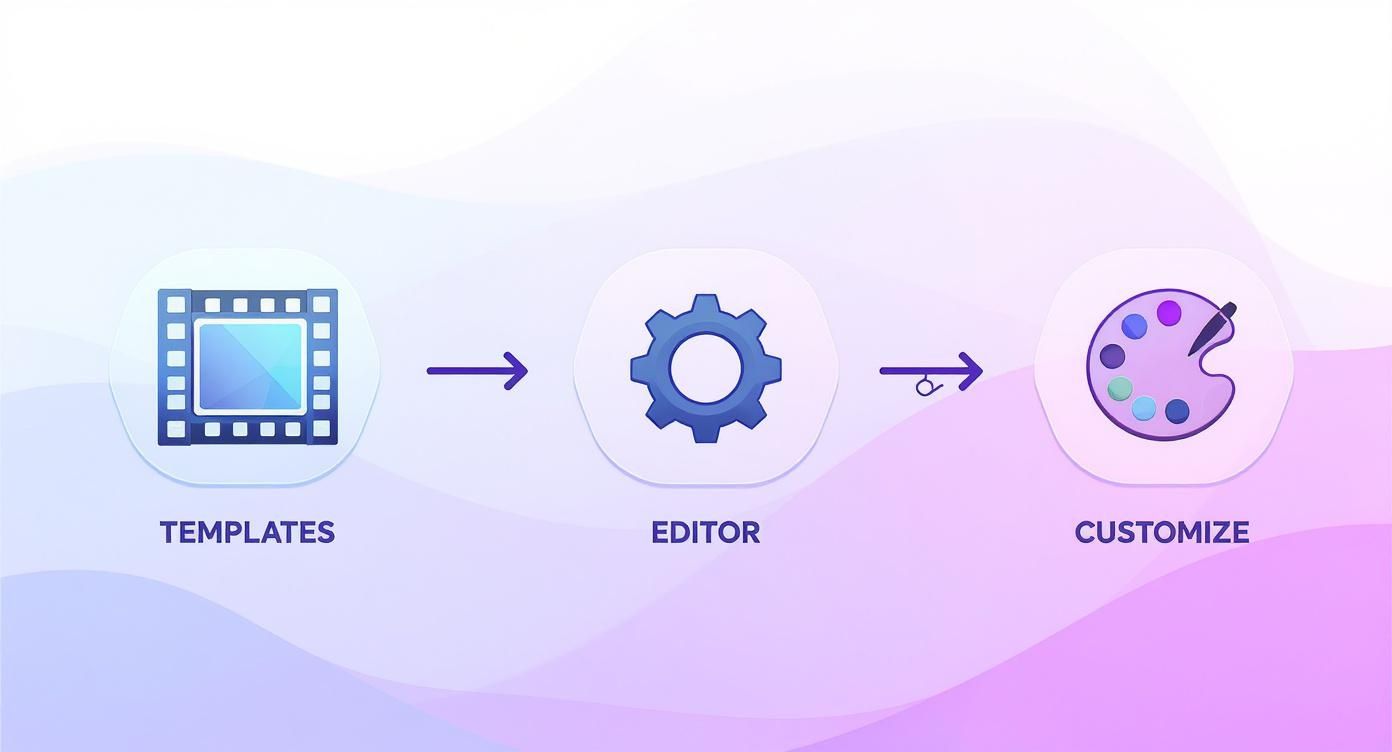
As you can see, it’s a pretty simple path: you pick a base design, change the main parts, and then add the finishing touches. This method makes professional-looking intros totally possible for anyone.
Choosing a Template That Fits Your Vibe
Think of a template as your creative starting point. You're not looking for something that's already perfect. Instead, you're looking for a design that has the right energy and structure for your brand.
If your content is high-energy, look for templates with quick cuts and cool animations. If your brand is more calm and professional, a clean design with smooth, simple transitions will be a much better fit.
Don’t worry about the default text or colors—you'll be changing all of that. Focus on the movement, the timing, and the overall layout. A good template library will let you preview everything in motion, so take a second to feel the rhythm and see if it really matches your brand's personality.
Customizing Text and Adding Your Tagline
Once you've picked a template, it's time to add your own words. The golden rule here is to keep it short and sweet. An intro is not the place for a long paragraph.
Your goal is to get one clear message across instantly. That could be:
- Your Brand Name: Simple, direct, and great for getting people to remember you.
- A Catchy Tagline: A short phrase that perfectly explains what you're all about.
- The Video Title: A great option if you make content in a series, like a weekly show.
Whatever you choose, make sure the font is super easy to read. Most online tools give you a library of fonts, but your best bet is usually something clean, bold, and similar to your brand's style. Avoid super fancy or decorative fonts that can be hard to read in just a few seconds.
The growth in video creation tools has made these features easier to use than ever. In fact, the global market for these tools is expected to hit $15.5 billion by 2025. This boom is happening because so many people want polished, short videos, which pushes online platforms to offer powerful yet incredibly simple customization options.
Integrating Your Logo Seamlessly
Your logo is your brand's signature, but just dropping it on the screen isn't enough. The secret to a professional look is using a high-quality logo file with a transparent background. That usually means a .PNG file. This makes sure your logo sits cleanly on top of the video without that ugly white or colored box around it.
Many creators also get their logo animated, which can instantly make your intro feel more dynamic and expensive. If you're curious about taking that extra step, you can check out our guide on how to animate a logo for some great ideas.
Pro Tip: When you place your logo, think about how it looks on the screen. Don't make it so huge that it takes over everything, but make sure it’s big enough to be seen clearly, even on a small phone screen.
Selecting Music That Sets the Mood
Finally, let's talk about music. The soundtrack is what gives your intro its emotional punch. The right track can make your brand feel exciting, trustworthy, or even a little mysterious in an instant. Most intro makers have a built-in library of royalty-free music you can search by genre or mood.
When you're listening to tracks, try closing your eyes. Does it feel right? If your video has a lot of fast cuts, you'll want a track with an upbeat, driving beat. For a more corporate or serious vibe, something calm and orchestral might be a better choice. Just make sure the music supports the visuals instead of fighting with them for attention.
Getting Your Intro Out Into the World
Alright, you've done the creative work and your new intro is looking sharp. Now for the last step: exporting it so it's ready for your audience. This part can feel a bit technical, but I promise it's simpler than it sounds once you know the basics.
Getting your export settings right is what saves you from that horrible feeling when your awesome intro ends up looking blurry or weirdly cropped on YouTube.
https://www.youtube.com/embed/DHSw4yghUZs
Think of it like this: exporting is like packing a suitcase. You choose the right size bag and fold everything neatly so it arrives looking perfect. We're doing the same thing here—packaging your video to look its best wherever it goes, without creating a huge file that takes forever to upload.
The Only Export Settings You Really Need to Know
Let’s cut through the confusing terms and focus on what actually matters. There are really only three things to pay attention to.
First up is resolution. This just means how crisp and clear your video looks. While you might see options for 4K, 1080p (1920×1080 pixels) is the perfect choice for pretty much all online content. It's the best of both worlds—super clear on everything from a phone to a big-screen TV, but the file size won't take up all your storage.
Next is aspect ratio, which is just the video's shape. Is it a wide rectangle or a tall one? This is super important. A standard YouTube video is wide (16:9), while an Instagram Reel or TikTok is tall (9:16). You have to get this right from the start; a wide 16:9 intro will look terrible on a vertical platform.
"The difference between an amateur and a professional-looking video often comes down to the technical details. A perfectly exported intro signals to your audience that you care about quality, building trust from the very first second."
Finally, you’ll need to pick a file format. You can safely ignore all the confusing options and just choose MP4. It’s like the universal language of online video. It gives you amazing quality in a small package and works everywhere, on every device. Easy choice.
A Quick Guide to Exporting for Different Platforms
Where you plan to post your intro changes the exact settings you should choose. Here’s a quick guide to make sure you get it right every time.
To make things even easier, here's a handy cheat sheet for the most common uses.
Recommended Export Settings for Popular Platforms
| Platform | Recommended Resolution | Best File Format | Quick Tip |
|---|---|---|---|
| YouTube & Twitch | 1080p (1920×1080) | MP4 | The standard 16:9 wide shape is a must for a professional look. |
| Instagram Reels/TikTok | 1080p (1080×1920) | MP4 | Always use a 9:16 vertical shape. Anything else will be cropped. |
| Plex/Emby Pre-Roll | 1080p (1920×1080) | MP4 | You have more freedom here, but 1080p MP4 works best everywhere. |
Keep this table handy, and you'll never have to guess your export settings again.
Platform-Specific Pointers
-
For YouTube & Streams: Your world is 16:9. Stick with that shape and export at 1080p. This makes sure your intro looks exactly as you designed it, whether someone is watching on their phone (held sideways!), laptop, or smart TV.
-
For Social Media (Reels, TikTok, Shorts): Think vertical. You absolutely must use a 9:16 aspect ratio. While 1080p resolution is still the goal, the shape is not negotiable for platforms made for phones. If you want to get super specific, check out a creator's guide to vertical video dimensions to really nail your settings.
-
For Plex, Emby, or Jellyfin: If you're making a cool intro for your personal movie server, a standard 1080p MP4 file is perfect. It's a reliable choice that will play smoothly on all your devices without any problems.
Getting comfortable with these simple export rules is a huge step. If you're just starting out and want to build more confidence, checking out some solid video editing tips for beginners can make the whole process feel less scary.
Insider Tips for Intros That Truly Captivate
So, you've learned the basics of making a video intro. Awesome! Now, let's get into the little details that separate the good intros from the truly unforgettable ones. These are the tricks that can really level up your work and make your audience feel like they're watching a pro.
Think of this as the final coat of polish. It's about taking what you've built and adding those small, powerful tweaks that grab a viewer in the first few seconds.
The Three-Second Rule is Real
I can't say this enough: you have about three seconds to convince someone to keep watching. Your intro needs to be lightning-fast. If it drags on for more than seven seconds, you're testing your audience's patience, and they'll probably just click away.
Keep it quick. A great intro delivers a fast punch of branding and energy, then gets out of the way. It shows you respect the viewer's time, which is a huge part of building a loyal audience.
Sound is Your Secret Weapon
Looks are only half the story. Sound is what really creates an emotional connection. Please don't just grab a default music track and call it a day. The real magic happens when you add in subtle sound effects that match the visuals.
- A sharp "swoosh" as your logo slides onto the screen.
- A soft "pop" or "click" when a line of text appears.
- A gentle, rising sound that builds a little bit of excitement.
These small audio details make an intro feel alive and professional. They’re easy to add, but the impact they have is massive.
An intro without good sound design is like a movie with the volume off. You can see what's happening, but you don't feel it. Sound is the shortcut to your viewer's emotions.
This push for more engaging content is exactly why the market for video creation tools is blowing up. It's expected to jump from around $2.5 billion in 2023 to a massive $6.8 billion by 2032. Creators and businesses are realizing that high-quality, polished video isn't just a nice extra; it's a must-have. You can learn more about this incredible growth and what it means for creators.
Give Your Brand an Anchor: The Tagline
A solid tagline can make your intro instantly stick in someone's mind. It's just a short, catchy phrase that tells people exactly what your channel or brand is all about. A cooking channel might use, "Simple Recipes, Big Flavor." A tech channel could use, "Tech Explained Clearly."
This tagline becomes a consistent part of your brand, reminding people who you are every time a video starts. If you want a deeper look into creating an intro from scratch, our full guide on how to make a video intro covers all the steps.
By using these simple tips, your intro will do more than just start your video—it will set the tone and prove your content is worth watching.
A Few Common Questions About Video Intro Makers
Jumping into a new creative tool always brings up a few questions. Even with a great video intro maker online, you're probably wondering about some of the details. Let's go over some of the most common things people ask so you can get started feeling confident.
Think of this as your quick-start guide to making smart choices right away.
How Long Should My Intro Actually Be?
This is easily the most common question—and one of the most important. The answer is simple: shorter is almost always better.
You really want to aim for something between 3 and 7 seconds. Anything longer than that and you're really pushing your viewer's patience. The goal is to hook them and brand the content, not give them a reason to leave before the real video even starts. A quick, punchy intro shows you respect their time, which is the perfect first impression.
Can I Use My Own Music or Fonts?
This totally depends on the tool you're using, but many of the best intro makers let you do this. Honestly, using your own brand fonts and a signature music track is one of the fastest ways to make a template feel like it was custom-made for you.
If this is super important to you, just make sure the platform has an "upload" feature for your own files. The ability to use your own licensed music or a specific brand font is what takes an intro from "a nice template" to "truly professional."
A video intro is your digital handshake. The more personal touches you can add—like your own music and fonts—the more authentic and memorable that first impression becomes.
Are the Free Intro Makers Any Good?
For a one-time project or just to play around and see what's possible, a free video intro maker online can be a great place to start. They usually give you the basic templates and features you need to make something pretty good.
The catch? They almost always have limits. You might have to deal with a watermark on your final video, lower-quality exports, or a small library of templates and music. If you're serious about building a brand or making content regularly, upgrading to a paid plan is almost always worth it for the professional features and creative freedom you get.
Ready to create a professional intro that makes your content stand out? At Priyansh Animations, we offer studio-quality, custom video intros that are ready in no time. Start your project with us today.