You bet! You can totally find awesome intro video templates free of charge. These templates give your videos a polished, professional look without you having to spend a dime. If you're creating for YouTube, TikTok, or Instagram, they're a killer way to make a great first impression and build a brand people remember.
Why Your Videos Need a Professional Intro
Ever clicked on a YouTube video and been immediately wowed by its sharp, clean opening? That slick first impression wasn't just luck. It was a well-designed intro that instantly screams "quality" and lets you know you're in for a good time. For tons of creators, this is the secret to grabbing viewers in those first few seconds.
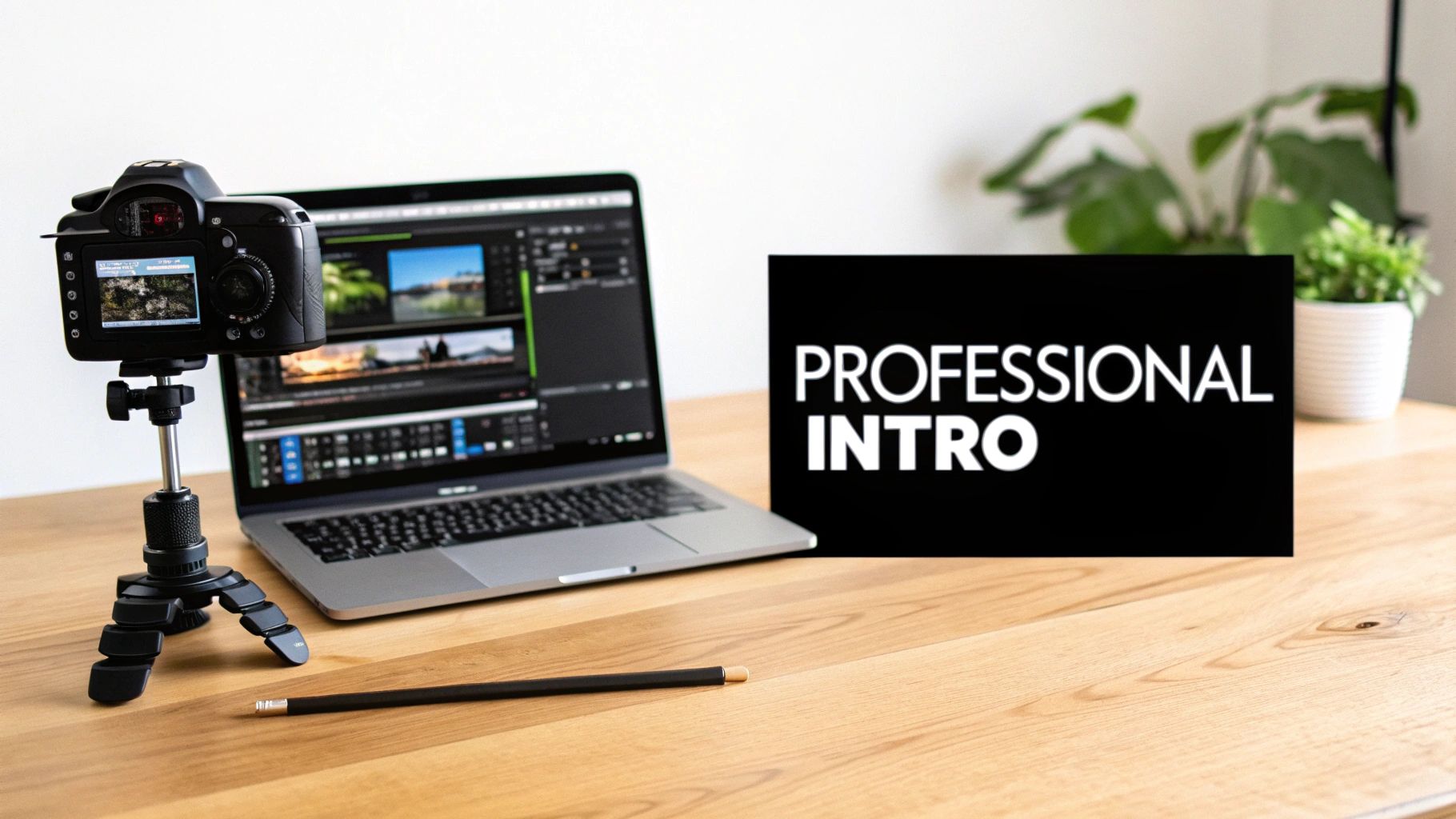
This is about more than just looking cool—it’s about building trust. When people see a pro intro, they automatically think the rest of the video will be just as good. It sets the stage for everything that comes next.
The Power of a Great First Impression
Think of your video intro like a handshake. It’s your one chance to show off your brand's personality, whether that's super energetic and fun or sleek and serious. This is where free intro video templates are a total game-changer for creators of all levels.
They have some huge perks:
- Saves Time: You can skip the headache of learning complicated animation software.
- Saves Money: You get a pro look without having to pay a designer.
- Builds Your Brand: Using the same intro makes your videos instantly recognizable, no matter where people see them.
The need for these templates has exploded right along with the creator boom. The number of YouTube channels jumped from 37 million to over 51 million between 2020 and 2023. With that many creators out there, more people than ever are using free templates to stand out. You can check out more video editing trends on filmora.wondershare.com.
Setting a Professional Tone Instantly
A great intro does more than just flash your logo on the screen. It creates a consistent look and feel for your whole channel. The second a viewer sees your signature colors, font, and animation, they know exactly whose content they’re watching. That instant recognition is key to building a loyal fanbase.
A great intro isn’t just an opening—it’s a promise to your viewer. It says, "Stick around, the content you’re about to see is worth your time."
Even a simple, clean animation can make a huge difference. To learn more about the basics, check out our complete guide on how to make a video intro. At the end of the day, using a template lets you focus on what you do best: creating amazing content.
Finding the Perfect Free Intro Template
Let's be real, searching for a free intro video template online can feel like digging through a digital bargain bin. You know there are gems in there, but you have to get through a lot of junk first. The goal isn't just to find any free thing; it's to find the right one—a template that looks professional and actually fits your style.
The trick is knowing where to look. A simple Google search can be overwhelming, and a lot of the options are outdated or just plain bad. You need to focus on the places where the pros go for the good stuff.
Where to Find Quality Free Intro Templates
You don't have to waste your time clicking through dozens of sketchy websites. I've found that the best free templates usually come from a few reliable sources.
Some platforms, like Canva, are awesome because they give you the template and a super simple, drag-and-drop editor all in one. This is perfect if you're not a tech whiz and just want to get it done fast. Other sites are more like libraries where you download a file to use in more advanced editing software.
To help you out, here's a look at some of the most popular places and what they're best for.
Where to Find Quality Free Intro Templates
| Platform Name | Best For | Key Features | Ease of Use |
|---|---|---|---|
| Canva | Beginners and social media creators who need quick, easy-to-edit templates for multiple platforms. | Huge library of free templates, drag-and-drop editor, integrated music and stock footage. | Very Easy |
| Adobe Express | Users familiar with the Adobe ecosystem looking for a streamlined, all-in-one editing experience. | Professional designs, seamless integration with other Adobe apps, mobile and web versions. | Easy |
| Panzoid | Gamers and streamers wanting highly dynamic, 3D animated intros without complex software. | Powerful 3D animation tools right in the browser, strong community of creators sharing templates. | Moderate |
| Mixkit | Video editors who use professional software (like Premiere Pro or DaVinci Resolve) and want high-quality files. | Curated collection of templates, no attribution required, high-resolution downloads. | Advanced (requires separate software) |
Each of these platforms is for a different type of creator. If you're just starting, Canva is a fantastic choice. If you're already a pro editor and just need a great-looking template file, Mixkit is your best friend.
And if you're looking for an even faster way, some of the best AI video generators are starting to offer templates, which can save you a ton of time.
Your Quick Evaluation Checklist
Okay, so you've found a few templates that look cool. How do you pick the best one? It's about more than just slick graphics. A great template has to work for you and feel like it actually belongs to your brand.
Before you hit download, run through this quick mental checklist. It'll save you a lot of trouble later.
A template is more than just a cool animation. It’s the handshake with your audience. It has to feel like it came from you, not just a random download folder.
Ask yourself these four simple questions:
- Does the style match my brand? Think about your content's vibe. Are you calm and clean, or are you loud and energetic? A relaxing yoga channel probably shouldn't have an explosive, glitchy intro. It would just feel weird.
- Is the resolution high enough? Don't settle for anything less than Full HD (1920×1080). If you upload videos in 4K, you need a 4K template. A blurry, pixelated intro is an instant turn-off and makes your whole video look bad.
- What's the aspect ratio? This is a big one. A standard YouTube video is 16:9 (widescreen). But if you're making content for TikTok, Instagram Reels, or YouTube Shorts, you need a vertical 9:16 template. Using the wrong one will leave you with ugly black bars or cut-off graphics.
- How easy is it to customize? A good template should be flexible. You should be able to easily add your logo, change the text, and adjust the colors to match your brand. If a template is too rigid, it will always look like you borrowed it from someone else. For editors who want total control, diving into After Effects intro templates is the way to go, as they offer way more customization options.
Taking just a minute to think through these points will help you find a template that’s a perfect fit, not just a temporary fix.
How to Customize Your Intro Template
You found it! After scrolling through endless options, you’ve downloaded the perfect intro video templates free of charge. Now comes the fun part: making it your own. This is where you turn a generic file into a signature opening that perfectly captures your brand's vibe.
Think of it like moving into a new apartment. The layout is already there, but you get to pick the paint color, hang your posters, and arrange the furniture until it feels like home. Customizing a template is the same idea—you're adding your personality to a solid foundation.
This visual guide breaks down the simple steps for finding and grabbing your template before you start getting creative.
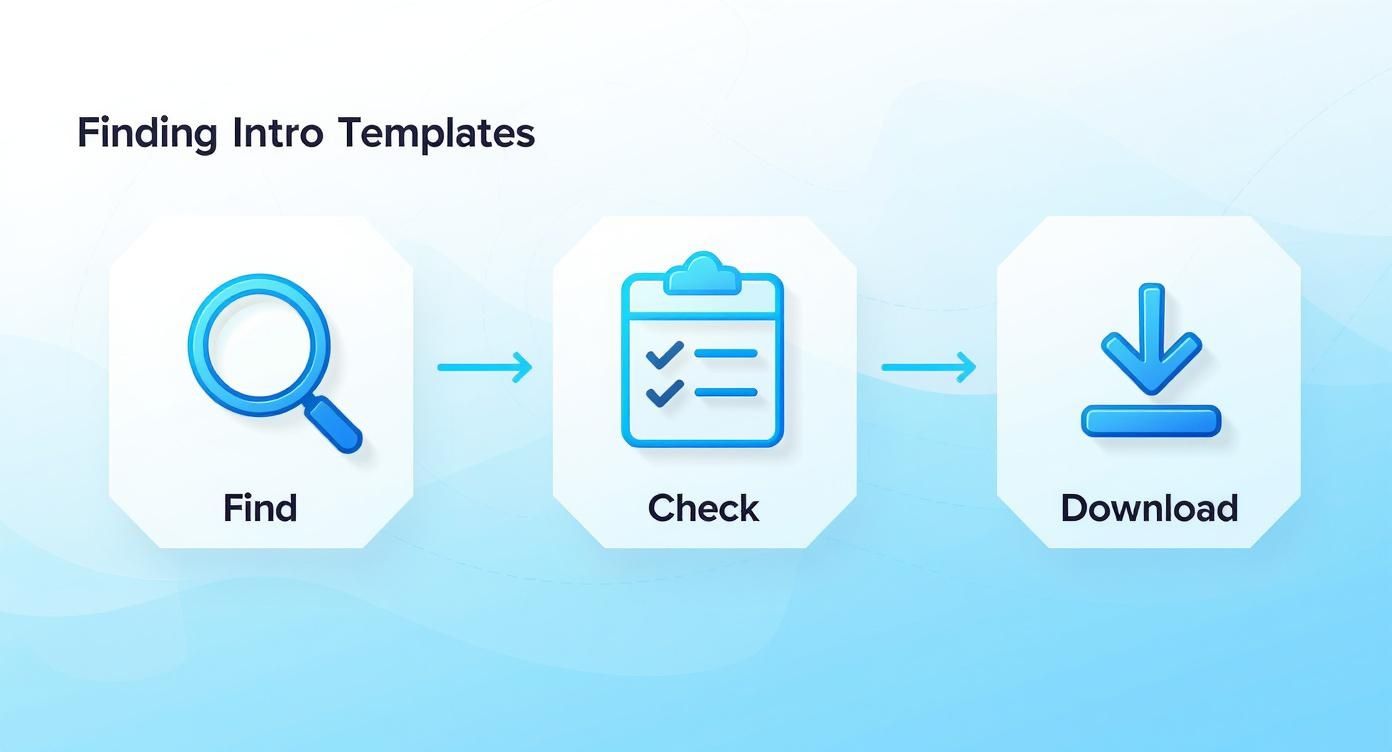
Following this process makes sure you find, check, and download a template that's ready for your creative touch.
Making It Your Own: The Basics
Let's walk through an example. Imagine you're starting a new YouTube gaming channel called "PixelGlitch Plays." You've found a slick, futuristic template with sharp lines and cool animations. Here’s how you’d make it yours.
First up, the most obvious change: the text. Most templates have placeholders like "Your Name" or "Channel Title." It's usually as simple as clicking on the text and typing in "PixelGlitch Plays."
Next is the logo. A good template will have a spot just for your brand's icon. You just need to upload your logo file—ideally a .PNG with a transparent background—and drop it into place. This one move instantly makes the intro feel less generic and more like a custom part of your brand.
The goal isn't just to add your name. It's to inject the template with your brand's personality so it looks like it was made just for you.
Finally, let's talk colors. Your gaming channel might use neon green and dark purple, but the template you downloaded is probably blue and white. Dive into the settings and start changing the colors of the text, background, and animations until they match your brand. This small change makes a huge difference in making your channel look consistent.
Adding Your Unique Audio Signature
An intro is just as much about sound as it is about visuals. The default music on a template is usually pretty generic. You need something that captures the high-energy vibe of "PixelGlitch Plays."
Here are a few things to keep in mind:
- Find Your Anthem: Search for royalty-free music that matches your channel's energy. For a gaming channel, a fast-paced electronic or chiptune track could be perfect.
- Layer in Sound Effects (SFX): Don't forget the little details. Add a "glitch" sound effect when your name appears or a "swoosh" as an animation flies by. These small touches make the intro feel way more dynamic and professional.
- Sync It Up: The real magic happens when your audio is perfectly timed with the visuals. That beat should drop at the exact moment your logo slams into view for maximum impact.
This is a step so many people skip, but it’s what separates a decent intro from a great one. For a more detailed walkthrough, you can check out our guide on how to use templates effectively.
Final Touches and Exporting
You're almost there! Before you hit that final render button, always do a quick preview. Watch the entire intro from start to finish. Does the text move too slowly? Is the logo slightly off-center? These are the little tweaks that make the final product look polished.
Once you’re happy with it, it's time to export. You'll want to choose a high-quality format, like MP4 with an H.264 codec, at the same resolution as your main video (usually 1080p or 4K). This ensures your intro looks crisp and clean on any screen.
The rise of easy-to-use tools has made this whole process super popular. A 2022 study showed that 72% of small businesses now use video in their marketing, and a whopping 68% of them use free templates to create professional intros. By following these steps, you’re using the same smart strategy to build your brand.
Understanding Licensing And Avoiding Common Mistakes
Let's be honest, the word "free" is music to a creator's ears. But when you’re grabbing intro video templates free online, "free" can sometimes have a catch. This is where licensing comes in, and I promise it's not as boring as it sounds. Think of it as your permission slip for using someone else's creative work.
Taking a minute to check the license can save you from major headaches later on.
A license is basically a set of rules from the person who made the template. It tells you exactly what you can and can’t do with it. Ignoring these rules is a fast way to get a copyright strike on YouTube, and nobody wants to deal with that mess.
What Does "Free" Actually Mean?
Not all free templates are the same. The biggest difference is whether you can use them for personal or commercial projects. Getting this right is super important.
- Free for Personal Use: This is for your passion projects—things that don't make money. A video of your family vacation or a slideshow for a friend's wedding? Go for it. But if you have a monetized YouTube channel, this license is usually a no-go.
- Free for Commercial Use: This is the one you want. It means you can use the template in projects that make money. Think monetized videos, ads for your brand, or a promo video for your business.
You'll also see "Attribution Required." This is a simple request: give the creator a shout-out. It usually just means putting a link to their website in your video description. It's a small price to pay for a professional template and a great way to support other creators.
To make things clearer, here’s a quick breakdown of the most common terms you’ll see.
Common Licensing Terms Explained
| License Type | What It Means | Can I Use It On YouTube? | Do I Need to Give Credit? |
|---|---|---|---|
| Public Domain (CC0) | No rules at all. You can use it however you want. | Yes, even on monetized videos. | Nope, but it's still a nice thing to do. |
| Attribution (CC BY) | You can use it for anything, but you must credit the creator. | Yes, as long as you provide credit. | Yes, this is a requirement. |
| Non-Commercial (CC BY-NC) | You can use it, but not for any project that makes money. | Only on non-monetized channels. | Yes, credit is required. |
| No Derivatives (CC BY-ND) | You can use the template as-is but cannot change it at all. | Yes, but you can't alter it. | Yes, credit is required. |
Knowing the difference helps you grab the right template for your project without any legal worries.
Beyond Licensing: Sidestepping Common Pitfalls
Once you've got the licensing figured out, a few other common mistakes can make even the best template look amateur. Let's make sure you avoid them.
First up: intro length. Keep it short and sweet. The perfect length is between 3 to 7 seconds. Any longer, and you're just asking viewers to click away before your real content even starts. Get in, make an impact, and get out.
Another classic mistake is using a low-quality logo. Dropping a blurry, pixelated image into a sharp HD template looks terrible. Always use a high-resolution version of your logo, preferably a PNG file with a transparent background. This makes it look clean and professional.
Don't let simple mistakes ruin a great template. The details matter—a blurry logo, an intro that's too long, or mismatched music can instantly make your video feel cheap.
Finally, don't forget the audio. The music you choose is super important, and you need to make sure you have the rights to use it by finding good sources for royalty-free music. The song needs to fit the vibe of your content. A high-energy rock song works for a gaming channel but will feel totally wrong for a calm painting tutorial. Remember, sound is 50% of the video experience, so choose wisely.
If you’re looking for something with a bit more personality, you can even create Hollywood studios style parody intros that come with perfectly matched, epic audio right out of the box.
Knowing When to Go Beyond Free Templates
Starting out with a free intro video template is a smart move for any creator. Think of it as learning to ride a bike with training wheels—it gets you going, builds your confidence, and helps you make something cool from day one. But eventually, those training wheels have to come off if you want to go faster.
Free templates are an amazing resource, but they aren't meant to last forever. As your channel grows, you'll start noticing signs that you might be ready for something better. This isn't a bad thing; it’s a sign of success!
Spotting the Signs You Need an Upgrade
The first big sign? You start seeing your "unique" intro on other people's channels. That's the downside of a popular free template—everyone is using it. When your intro shows up on ten other videos in your niche, it starts to make your brand feel less special.
Another sign is when you hit a creative wall. You have a brilliant idea for an animation, but the template is just too limited to pull it off. Maybe you can't change the colors, tweak the timing, or use a font you like. When the template starts holding you back instead of helping you, you know it's time for a change.
Your intro is your brand's signature. If that signature starts looking like everyone else's, it's a clear signal that it's time to invest in something that is uniquely yours.
If you find yourself spending more time fighting with a template's limitations than actually creating content, that’s your final cue. Your time is too valuable to be wasted on frustrating software.
Making the Leap to Premium or Custom
So, what’s next? Moving on from free templates doesn't have to break the bank. You've got two main options, and both are great.
- Premium Templates: These are like the deluxe versions of what you're using now. They cost a little bit of money but give you way more in return: more customization options, higher-quality animations, and a more exclusive look since fewer people are using them.
- Fully Custom Intros: This is the best way to build an unforgettable brand. You work with a designer or a service like Priyansh Animations to create an intro from scratch. It’s built around your logo, your brand colors, and your specific style, guaranteeing that your intro is one-of-a-kind.
Investing in a unique intro is really an investment in your brand's future. It helps you build a stronger, more memorable connection with your audience. For creators who want to take full control, learning advanced techniques like After Effects time remapping is an excellent way to level up your editing skills.
A Few Common Questions About Intro Templates
Jumping into the world of free intro video templates can feel a bit confusing, and you probably have some questions. That's totally normal. I've put together some quick, simple answers to the questions I hear most often from creators.
Think of this as your personal cheat sheet to get you started.
How Long Should My Video Intro Be?
This is probably the most important question, and luckily, the answer is simple: keep it short and sweet. Aim for something between 3 and 7 seconds.
If you go any longer than that, you're just tempting your audience to get bored and click away before your video even starts. Your intro should be a quick, punchy handshake—not a long, boring story.
Can I Use These Templates on Any Platform?
Mostly, yes! The key thing to watch out for is the aspect ratio, which is just a fancy word for the shape of the video. A standard YouTube video is widescreen (16:9), but platforms like TikTok, Instagram Reels, and YouTube Shorts are all about vertical video (9:16).
Always double-check that the template's dimensions fit where you plan to post it. Putting a widescreen template on a vertical video will leave you with ugly black bars or a weirdly cropped, amateur-looking result.
The good news is that many template sites, like Canva, make this super easy by letting you filter your search by platform.
Are Free Intro Templates Really Free for Commercial Use?
This is a big one, so pay close attention. "Free" doesn't always mean free for everything. A lot of templates are only free for personal projects that you aren't making money from. If you run a monetized YouTube channel or are using the video for your business, you absolutely have to find templates that are licensed for commercial use.
Always, always check the license terms before you download. It's a quick, two-second check that can save you from a huge copyright headache later.
It's amazing how popular free templates have become, even for pros. In 2023, over 60% of online teachers said they used them to polish up their videos. The demand is huge—platforms like Uppbeat saw their intro templates downloaded over 8 million times in just one year. You can check out some of their popular options in their motion graphics section.
This just shows how powerful these tools are for creators who want that professional touch without the professional price tag.
Ready to create an intro that truly stands out and looks professionally made? Priyansh Animations offers a huge catalog of custom, studio-quality intro videos tailored to your brand. Choose your perfect intro today!