
Ever wonder why one video costs a few hundred bucks while another costs more than a brand-new car? A video production cost breakdown isn't as scary as it looks. The final price tag all comes down to how big your idea is. Think of it like buying a car: a simple, reliable sedan gets you from point A to B just fine. But a tricked-out sports car? That’s a whole different experience with a much bigger price tag.
How Much Does Professional Video Production Actually Cost?
If you've ever gotten a quote for a video, you've probably noticed the prices can be all over the place. That’s because every video is like a custom-made pizza. A short, animated clip for TikTok uses totally different ingredients than a big, live-action video for a company with actors, cool locations, and a full film crew.
The final cost is always a mix of three main things: the brainstorming and planning (pre-production), the actual filming day (production), and all the cool editing tricks afterward (post-production).
Basically, the budget is tied to your creative dream. A simple explainer video might just need a scriptwriter, an animator, and someone to do the voice-over. But a slick marketing video? That’s like assembling the Avengers. You’ll have directors, camera experts, sound pros, actors, and editors all working together to make something awesome.
A Quick Guide to Video Production Costs
To give you a rough idea of what to expect, let's look at some ballpark numbers. This table gives you a simple video production cost breakdown for common video types. It's a great place to start figuring out where your project might fit.
| Video Type | Typical Price Range (Per Finished Minute) |
|---|---|
| Simple Intro Animations | $100 – $500 |
| Social Media Clips | $500 – $2,500 |
| Animated Explainer Videos | $2,000 – $10,000+ |
| Corporate Brand Videos | $2,500 – $20,000+ |
| Event Highlight Reels | $1,500 – $7,500 |
| High-End Commercials | $20,000 – $100,000+ |
As you can see, those ranges are huge. In 2025, marketing videos are often the priciest, usually costing anywhere from $2,500 to over $50,000 for every minute of finished video. That’s because things like dreaming up the story, hiring actors, and finding cool places to film can add up fast. Getting a grip on these pieces is the first step to building a budget that actually makes sense.
Keep in mind, a higher price usually means higher quality. We’re talking about fancy camerawork, custom graphics, and pro-level sound—all the little details that make a video look and feel amazing. For example, planning for event video production services means you have to budget for a crew to be on-site with multiple cameras to catch all the action.
To get a little more perspective, it can be helpful to see how other professional creative work is priced. For instance, you might be curious about how much professional headshots cost.
Use these numbers as a starting point. They'll help you have a smart conversation about your budget before we dive into what happens in each stage of making a video.
The Three Phases of Production Costs: A Simple Breakdown
Making a video is a lot like building a house. You don't just grab a hammer and start swinging, right? First, you need a detailed blueprint (that’s Pre-Production). Then, you pour the foundation and put up the walls (that’s Production). Finally, you paint, add the cool furniture, and make it look amazing (that’s Post-Production).
Each of these steps has its own costs. Understanding this three-part process is the key to figuring out your video budget and knowing exactly where your money is going. Let’s walk through what happens—and what you're paying for—at each stage.
Phase 1: Pre-Production – The Blueprint
This is the planning stage, and honestly, it’s the most important one. A solid plan here will save you a ton of headaches (and money) later. It's simple: changing a line on a blueprint is easy and cheap. Knocking down a wall you just built? That’s a budget nightmare. Pre-production is where you get everything perfect on paper before a single camera starts rolling.
Here's what you're paying for:
- Scriptwriting: This is the DNA of your video. The cost depends on how long the script is, how many changes you make, and how experienced the writer is.
- Storyboarding: Think of this as a comic book version of your video. It maps out every single shot so the whole team can see the vision. It's a must-have for animations.
- Location Scouting: Need to film in a cool coffee shop or a spooky warehouse? Someone has to find it, check it out, and handle the paperwork. That takes time, travel, and sometimes fees.
- Casting Talent: If your video needs actors, you’ll need to budget for finding them, holding auditions, and hiring the perfect people for the parts.
A well-planned pre-production stage is your best friend against budget disasters. There's a reason 93% of marketers use video—it gets results. Good planning makes sure you get your money's worth.
Phase 2: Production – Building the House
Alright, welcome to the set! This is where all that careful planning comes to life. It's the most exciting part, but it's also where costs can get out of hand if you're not careful. This is the "lights, camera, action!" moment, and every person and piece of gear on set costs money.
This infographic gives you a great visual on how costs for different types of videos—like explainers, educational content, and marketing campaigns—are typically structured.
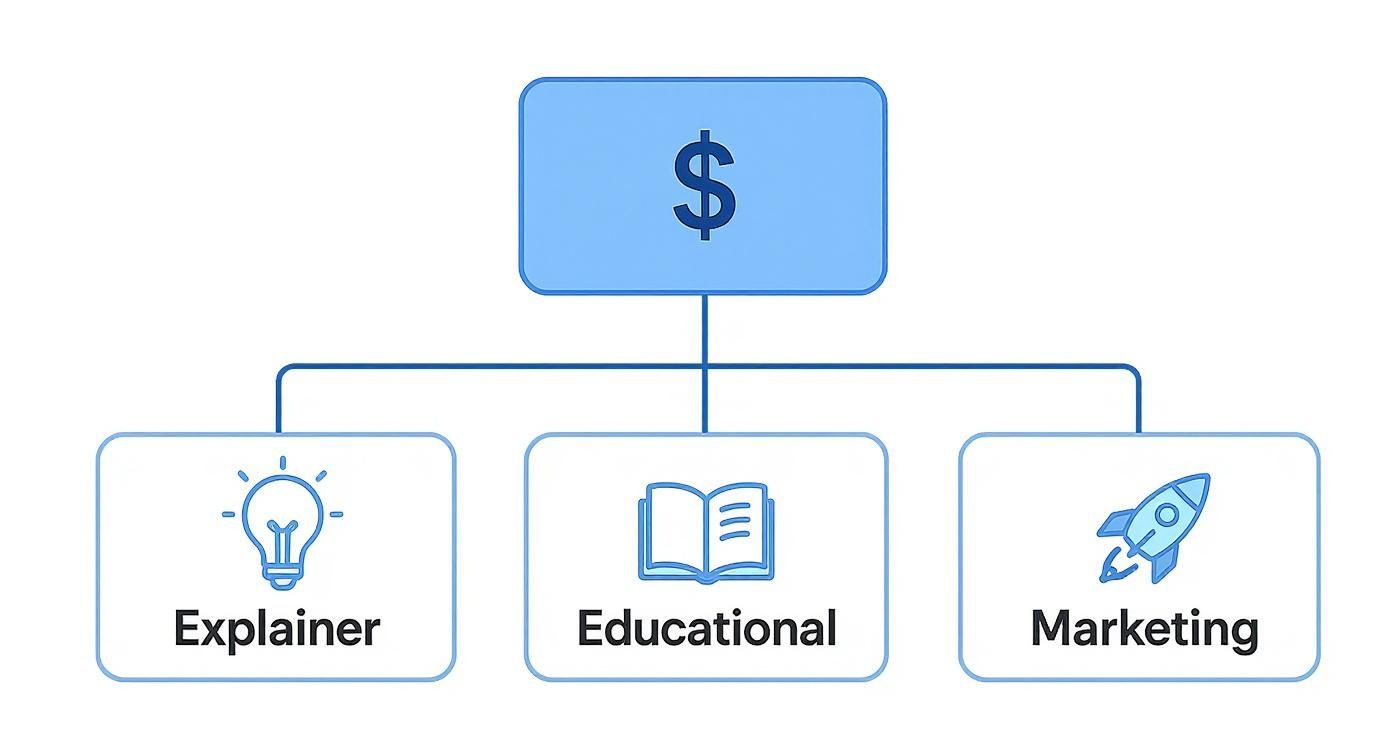
As you can see, marketing videos often have the biggest price tag, and that’s mostly because of all the work that happens during the actual filming.
Here’s where the money goes during a shoot:
- Director and Crew: This is your team on the ground—the director, camera operators, sound engineers, and lighting experts. How big and experienced the crew is will directly affect the cost.
- Equipment Rental: Pro cameras, lenses, lights, and microphones aren't cheap. Renting all this gear for the shoot days is a big part of the budget.
- On-Screen Talent: This is what you pay any actors, hosts, or experts who appear in your video for their time.
- Set Design and Props: If you're not filming in a real place, you might need to build a custom set or find specific props to make your scene look just right.
Phase 3: Post-Production – The Finishing Touches
Once the filming is done, you're left with a mountain of raw footage. Think of it like a giant, unassembled puzzle. The post-production team puts all those pieces together to create a polished, exciting story. This is where the real magic happens, turning hours of clips into a tight, engaging final video.
The work here can be simple or super complex. A basic edit might be quick, but adding cool graphics, custom animations, or special effects takes a lot more time and skill. If you're curious about what goes on here, checking out some video editing tips for beginners can give you a great overview.
Here are the main costs in post-production:
- Editing: The editor picks the best shots, arranges them to tell the story, and gives the video its rhythm and pace. This usually takes the most time.
- Color Grading: This is where they tweak the colors and tones of the footage to create a specific mood and make sure everything looks consistent and professional.
- Sound Design and Music: This involves cleaning up the audio, adding sound effects, and finding the perfect song. Never underestimate the power of a great soundtrack!
- Visual Effects (VFX) and Graphics: This is where you add things like on-screen text, your logo, animations, or any other special effects the video needs.
Each phase builds on the last one. When you understand where your money is going at every step, you can make smarter choices for your project.
Matching Your Video Type to Your Budget
Not all videos are created equal, and they definitely don't have the same price tag. The secret to getting a great result is matching the type of video you need with your budget and your goals.
Think of it this way: making a fancy brand video with actors and multiple locations is like planning a two-week trip to Europe. It’s a huge project with a lot of moving parts and a big price tag. On the other hand, a quick social media clip is more like a spontaneous weekend road trip—fun, effective, and way easier on your wallet.
Knowing the difference helps you make smart decisions. You don't want to pay for a five-star international trip when all you needed was a great weekend getaway. Let's break down the most common video types to see where your money really goes.
Live-Action Corporate Videos
When most people think of a "corporate video," this is what comes to mind: real people, real offices, and real products. Live-action is awesome for building trust and making a genuine connection, whether you're filming customer reviews, a video about your company's vibe, or a product demo.
The costs here are tied to real-world stuff. The budget for a live-action shoot is driven by things like:
- Crew Size: A simple two-person crew is one thing; a full-scale team with a director, camera operators, and sound engineers is a whole different level of spending.
- Location Fees: Filming in a pro studio or getting permission to shoot in public places will add to the bill.
- Talent: Professional actors have day rates that you need to include in your budget.
- Equipment: The bigger the shoot, the more gear you'll need. Multiple cameras, fancy lighting setups, and special audio equipment all add to the final cost.
Animated Explainer Videos
Animation is a storytelling superpower. It’s the perfect way to take a complicated idea, a new app, or an abstract concept and make it super simple and fun to watch.
Unlike live-action, the budget isn't tied to a physical set. Instead, it’s all about how creative and complex the animation is. The more detailed the characters and the smoother the movement, the more time and skill it takes from an animator. A simple 2D video with moving text and shapes will always be cheaper than a project with custom 3D characters.
The magic of animation is that it can do anything. You can create entire worlds, simplify dense information, and tell a story that would be impossible—or crazy expensive—to film in real life. That makes it a super smart choice for a lot of businesses.
Quick Social Media Clips
In the fast-paced world of social media, getting someone's attention is everything. Short, punchy videos for platforms like Instagram, TikTok, and Facebook are all about grabbing that attention in seconds. These clips are usually 15 to 60 seconds long and are made for quick views and lots of likes and shares.
Because they’re shorter and easier to make, they are one of the most budget-friendly options. You can often create great social content by cutting up longer videos, using templates, or filming with a small, simple setup. They might not look as cinematic as a big brand film, but they're not supposed to—their job is to be fun, relatable, and shareable.
For a professional touch without the high cost, you can even use a corporate intro maker to create polished, reusable intros and outros for all your social clips.
Educational and Instructional Videos
Educational videos are a huge deal for both marketing and training. The cost for these is changing, especially now that people can film from anywhere.
One recent analysis found that remote "talking head" style videos (where someone just talks to the camera) can average around $45 to $65 per finished minute after you've paid for the basic equipment. But if you're looking at more complex animated educational videos, the price can jump to $3,200 to $3,700 for a three-minute video, which shows just how much work goes into scripting and animating.
Watch Out for These Hidden Costs in Your Video Budget

A video budget is a lot like an iceberg. You can easily see the big, obvious costs like the camera crew and equipment—that's the part sticking out of the water. But it’s the hidden costs hiding just below the surface that can sink your project if you’re not paying attention.
These aren't sneaky fees designed to trick you. They’re just the little details that are easy to forget when you're focused on the big picture. Getting a handle on these from the start is the secret to building a realistic budget and avoiding any nasty surprises.
By planning for these things ahead of time, you can create a solid financial plan and keep your project sailing smoothly.
Licensing and Royalties
You can't just grab your favorite Taylor Swift song and drop it into your company video. That's a quick way to get into legal trouble. Every creative thing you use—from music and stock video clips to cool fonts—is owned by someone, and using it legally requires permission and usually a fee.
These costs can be all over the place:
- Music Licensing: A song from an indie artist on a royalty-free website might only cost you $50, but using a famous pop song can easily cost tens of thousands of dollars.
- Stock Footage: High-quality 4K clips usually cost $70 to $500 (or more) for just one clip, depending on where you get it and how you use it.
- Voice-Over Talent: A pro voice actor makes your script sound amazing, but their rates change based on their experience and where the video will be shown.
"Royalty-free" can be confusing. It doesn't mean "free." It just means you pay one time to use the song or clip, instead of paying every time someone watches your video. Always read the fine print!
Location and Logistics
Where you film makes a huge difference in your final bill. Filming in a big city like New York is almost always going to cost more than in a quiet suburb. It’s not just about the cool background; it’s about all the real-world expenses that come with working in that area.
For instance, a production company's hourly rates are often tied to where they are. In 2025, you can expect to see rates between $100 and $149 per hour, but that's just a starting point. Rates in major cities can be 30-50% higher than in small towns to cover higher costs for things like studio space and permits.
Here are a few other logistical costs to keep an eye on:
- Permits: Want to film in a public park or on a busy city street? You'll probably need an official permit, which can cost anywhere from a few hundred to several thousand dollars.
- Travel and Accommodation: If your actors or crew need to travel, you’ll have to cover flights, hotels, and food. These add up fast.
- Insurance: Production insurance is a must-have. It’s your safety net that protects you if something goes wrong on set.
Post-Production Overages
The editing room is where your story really comes together, but it's also where your budget can start to fall apart if you're not careful.
The biggest culprit? Revisions. Most video contracts include a certain number of chances for you to ask for changes, usually two or three. If you keep asking for "just one more little tweak" after that, you’ll start paying an hourly rate for the editor's time. The best way to avoid this is with super clear communication and a solid plan before you even start filming.
Besides editing time, you might run into other needs. For example, it’s good to understand the costs associated with professional transcription services if you want to add accurate subtitles. And if your video needs complex animations that weren't in the original plan, you might need a creative solution. This is where pre-made templates can be a lifesaver, giving you a high-end look without the custom price tag. You can find some amazing After Effects intro templates that get the job done.
Smart Ways to Reduce Your Video Production Costs
Making a professional video doesn't have to mean breaking the bank. The real secret isn't cutting corners—it's making smart moves that match your creative vision with your budget. You'd be surprised how much you can save with a little clever planning.
Think of it like packing for a trip. If you just start tossing stuff in a suitcase, you’ll end up with a heavy, disorganized mess. But if you plan your outfits ahead of time, you can pack light and still have everything you need. The same goes for your video budget; every dollar should have a job.
Plan Everything Before You Press Record
The absolute best way to manage your video production cost breakdown is to plan, plan, and then plan some more. Your best tool for this is a detailed "creative brief." This is a document that spells out everything: the video's goal, who you're trying to reach, the main message, and the overall vibe you want.
A solid brief is like a treasure map for your whole team. It gets everyone on the same page from day one, which means fewer expensive reshoots or endless editing changes later. Trust me, it's way cheaper to make changes on paper than it is to get the whole cast and crew back together.
A well-planned pre-production stage is your best defense against going over budget. Investing time upfront in planning is like putting money right back into your own pocket.
Be Super Efficient on Filming Day
Once the cameras are rolling, time is literally money. Every hour you're filming, you’re paying for the crew, the actors, and the equipment. One of the best ways to save time is to batch your content. This just means filming a bunch of videos at once.
For example, if you're making five short social media clips, schedule them all for one long shoot day instead of five separate ones. You'll save a ton of money on setup time, crew costs, and location fees.
Here are a few other ways to make your shoot day run smoothly:
- Finalize Your Script: Make sure the script is 100% approved before anyone shows up to film. Last-minute changes cause delays and confusion.
- Create a Shot List: Know exactly what shots you need to get. This keeps the crew focused and makes sure you don't forget anything important.
- Rehearse with Talent: A quick practice run before you start filming helps actors feel more comfortable, which almost always means you get the shot in fewer takes.
Get Creative with Your Resources
You don't always need a giant crew or the most expensive camera to make a great video. For things like interviews or simple product demos, a smaller, more flexible team can often deliver amazing results. Don't be afraid to talk to your production team about where you can make some smart savings.
You can also use high-quality stock footage to add extra polish without the high price. Need a cool drone shot of a city? A licensed stock clip will cost way less than hiring a drone pilot yourself.
This smart thinking also applies after the video is done. One of the best ways to get more for your money is to think about how you can reuse your footage. To get the most out of every clip, learn about effective content repurposing strategies that can turn one video into a dozen different social media posts, GIFs, and more.
Finally, think about your location. Instead of renting an expensive studio, could you film in your own office? Or maybe a local park that doesn't need a pricey permit? Choosing easy and affordable locations can make a huge dent in your budget without hurting the final video at all.
Alright, you've made it through the numbers and the nitty-gritty of video production costs. So, what's next? It's time to put all this knowledge into action.
The best video isn’t always the one with the biggest budget. It’s the one that actually works—the one that connects with people and gives you a real return on your investment. Thinking of your budget as an investment in your brand's future is the key to getting it right.
To make sure you're ready for success, let's quickly go over the most important stuff one last time. Think of this as your final checklist before you start your project.
Final Checklist Before You Hit Record
Getting these points sorted out before you spend a dime will save you a world of headaches later. Trust me on this.
- Nail Down Your Goal: First things first, what do you need this video to do? Are you trying to sell more stuff, explain a tricky topic, or just get your name out there? Your goal is your guide.
- Know Your Audience: Who are you trying to talk to? A video for teenagers on TikTok will look and feel totally different than one for CEOs on LinkedIn.
- Have a Real Plan: Your creative brief is your best friend. This is where you'll map out your main message, the visual style you want, and how you'll share it. It keeps everyone on the same page.
- Get a Detailed Quote: Don't just accept a single number. Ask for a quote that breaks down exactly where every dollar is going. This transparency stops any nasty surprises from popping up later.
Don't forget, there's a reason 93% of marketers swear by video. When you plan it right, your budget isn't just an expense—it's fuel for real, measurable growth.
You're now armed with everything you need to make smart decisions. The next move is all yours. Whether that's sketching out that first creative brief, looking for the right production partner, or finally asking for that quote, you're ready to go.
Got Questions About Video Costs? We've Got Answers.
Even after you've mapped everything out, a few questions always seem to pop up. Let's tackle some of the most common ones that people have when they're trying to figure out their video budget.
Think of this as your quick-reference guide to clearing up those final details.
Is Animation Cheaper Than Live-Action?
Ah, the classic question. The totally honest answer is… it's complicated.
Generally, a simple animated explainer video will be way cheaper than a big live-action shoot. With animation, you don't have to pay for actors, locations, travel, or sets.
But it's not always true. A super-detailed 3D animation with custom-made characters could easily cost more than a simple interview filmed in your office. The right choice really comes down to the story you need to tell and what will bring it to life in the coolest way.
Why Is "Cost Per Minute" a Tricky Metric?
You'll see "per-minute pricing" advertised all over the place, but it can be a bit of a trap. It rarely tells the whole story.
For example, a crazy, effects-heavy 60-second commercial might cost you $50,000. But a simple 10-minute "talking head" video could cost just $5,000. The commercial's per-minute cost is insanely high, but the talking head video costs more overall.
The "cost per minute" number completely ignores how complex a video is. A detailed quote that breaks down the project by phase (pre-production, production, and post-production) is the only way to see where your money is actually going.
How Long Does It All Take?
The timeline can be all over the map, depending on what you're making. But to give you a rough idea, here's what you can generally expect:
- Simple Social Media Clip: 1-2 weeks
- Animated Explainer Video: 4-8 weeks
- Corporate Brand Video: 6-12 weeks
- High-End Commercial: 3-6 months, sometimes even longer
Don't be surprised if the planning (pre-production) takes the longest. A solid plan is the foundation for a smooth and fast project. Rushing the planning part is the quickest way to run into expensive problems later on.
Ready to bring your vision to life without the sticker shock of traditional production? Priyansh Animations crafts stunning, custom video intros from a huge catalog of professional templates. You get a high-quality, polished look for your brand in a fraction of the time and cost. Check out our designs and start your project today.