A good cinema intro maker is your secret pass to creating awesome, professional-looking intros that grab people's attention right away. It’s the tool that turns a regular video into something that feels like a real movie, setting the mood and making everyone excited from the very first second.
Why a Great Intro Is Your Secret Weapon
Ever get chills in the first few seconds of a movie? That’s the magic of a killer intro. It’s not just a title on a screen; it’s like your video’s first handshake with the audience, promising them that something cool is about to happen. In a world packed with videos, a cinematic opening is what makes yours pop.

That first impression is huge. It makes you look like a pro, builds your brand's vibe, and helps people remember you. It's the difference between a shy mumble and a confident "hello" that makes people lean in and listen.
Hook Viewers from the Start
Your intro is your best shot to hook someone before they even think about scrolling away. A well-made opening doesn't just look cool; it grabs attention and tells the viewer, "Hey, you're in the right place." This isn't just about flashy effects. It’s about creating a vibe and making people curious.
A top-notch intro sends a clear message: you put effort into your work, which means you respect your viewer's time. If you need some creative juice, checking out different ideas for introductions can help you find that perfect spark.
Build a Strong Brand Identity
Being consistent is key to building a brand that people recognize. When you use the same signature intro for all your videos, you create a professional look that people instantly know is yours. It doesn’t matter if they find your video on YouTube, Instagram, or anywhere else—they’ll know it’s you.
This kind of branding is more important than ever. Everyone wants video content, but that means there's a ton of competition. In 2023 alone, 9,511 films were made worldwide—that's a huge 68% jump from a few years ago. With that much stuff out there, a professional intro isn't just nice; it's a must-have to make your work stand out. You can read more about these global film production trends at WIPO.
An intro isn't just the beginning of your video; it's the start of your connection with the viewer. Make it awesome.
Finding the Right Cinema Intro Maker
Picking the right tool to make your cinema intro is a lot like choosing the right camera for a photoshoot. Every option has its own learning curve, price, and cool features. The key is to find the one that fits your project, whether you're a YouTuber who needs something fast or a filmmaker going for an epic opening.
Let's break down the main types of tools you’ll find. Think of them as different levels of creative power. Your choice will depend on your budget, how much time you have, and how detailed you want to get.
Quick and Easy Online Makers
For anyone who needs a slick intro, like, right now, online template makers are a game-changer. These tools work right in your web browser, so you don’t need to install any heavy software. They’re built for one thing: speed.
You just scroll through a library of templates, pick one you like, type in your text, and add your logo. The website does all the hard work—the animation, the effects, everything. This is perfect for a vlogger who wants a cool, consistent opening for their videos without spending hours making it.
- Best For: Creators who want professional results without the hassle.
- Skill Level: Total beginner. If you can fill out a form online, you can use these.
- Cost: Often free with a watermark, with cheap monthly plans to remove it and get better quality videos.
Mid-Range Software with More Control
The next step up is software you can download that gives you a nice mix of easy-to-use templates and real creative freedom. These programs let you customize the templates more, allowing you to change animations, adjust the timing, and get the colors just right.
This is the sweet spot for someone who wants their intro to feel more unique but isn't ready to tackle a full-on professional program. You get a template to start with but have enough freedom to make it your own. It's a great choice for new filmmakers or small businesses that want to look super professional.
The best tool isn't always the most complicated one. It's the one that helps you create your vision without driving you crazy.
Professional-Grade Creative Suites
For creators who want to control every single pixel, professional software like Adobe After Effects or Blender is the ultimate playground. These are the exact tools the pros in Hollywood use, giving you endless power to build a cinematic intro from scratch.
Yeah, there's a lot to learn. But the payoff is an intro that is 100% unique to you and your brand. You can build complex 3D worlds, design amazing motion graphics, and control every single frame of the animation. This path is for serious creators who see their intro not just as branding, but as a piece of art.
If you're curious about what you can do with that much control, checking out a gallery of different cinematic intro examples is a great way to get inspired.
Comparing Cinema Intro Maker Tools
To make the choice a bit easier, let's see how these different tools compare. Here’s a quick chart to help you figure out where you fit in based on your skills, budget, and creative goals.
| Tool Type | Best For | Skill Level | Cost | Customization Level |
|---|---|---|---|---|
| Online Maker | Getting things done fast & staying consistent | Beginner | Free to Low | Low |
| Mid-Range Software | A unique look without breaking the bank | Intermediate | Medium | Medium |
| Pro Suite | Total creative freedom from the ground up | Advanced | High (Subscription/One-time) | Unlimited |
At the end of the day, there’s no single "best" intro maker—only the one that's best for you. Be real about what you need and how much you're willing to learn, then pick the tool that will get you there.
Bringing Your Vision to Life
Okay, this is where the fun really starts. You've got your tools, and now it's time to turn that template into something that is totally you. This is the moment your idea starts becoming a reality.
The first big decision is picking a style that matches the vibe of your content. Are you making an explosive, action-packed intro for a gaming channel? Or is your brand more about calm, thoughtful stories? That one choice will guide all your other creative decisions. A good template from a quality cinema intro maker gives you a solid starting point that already fits the mood you’re going for.
As you get more comfortable, you'll probably move from simple online tools to more powerful software. This is a pretty normal journey for creators.
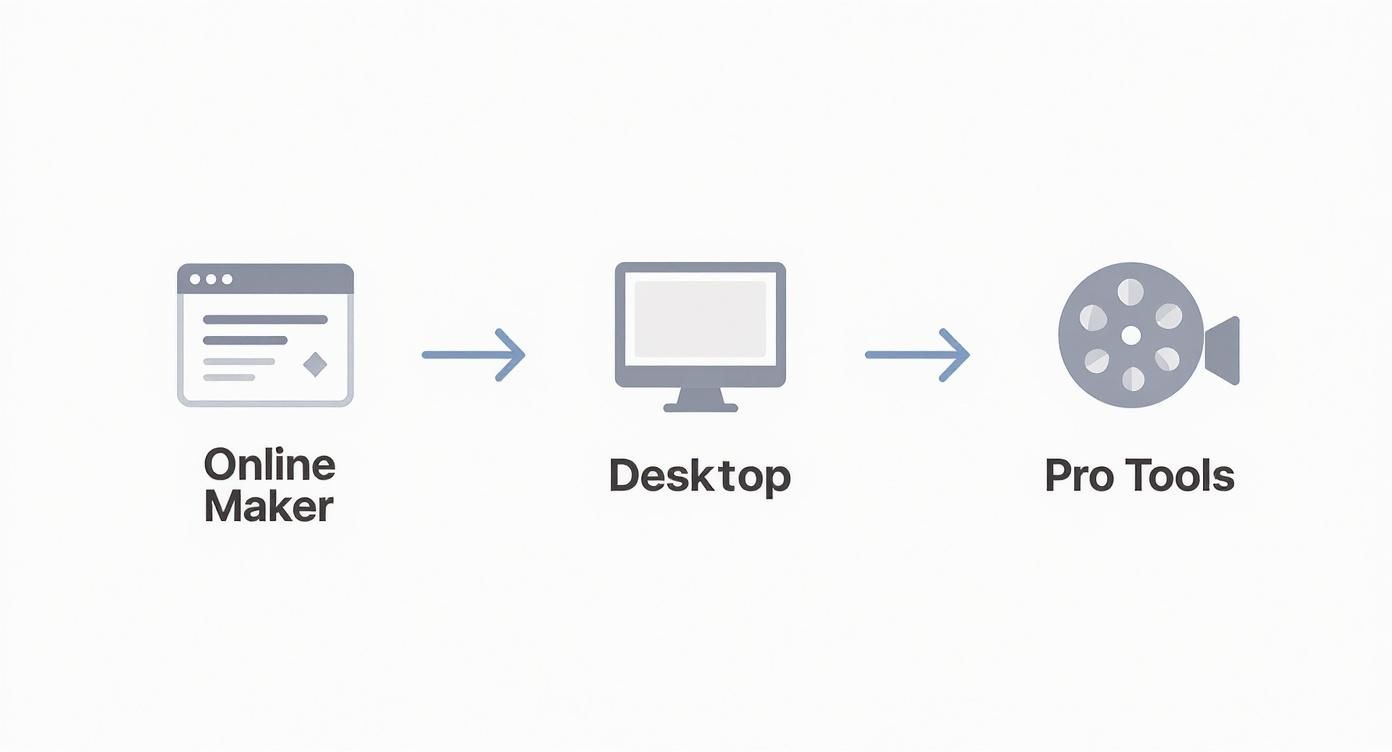
This chart shows how creators often start small and level up to pro tools as their skills and ideas get bigger.
Personalizing with Text and Colors
Once you have a template, the next step is to change the placeholder text and colors. But don't just type in your name and call it a day. The fonts and colors you pick are your first chance to show off your brand's personality, often before anyone even hears a word.
Think about it: a clean, simple font might be great for a channel about tech or design. But a bold, brush-stroke font could be perfect for an artist's vlog. Colors work the same way. Cool blues and grays can feel professional and serious, while bright orange and yellow scream energy and fun.
Here are a few quick tips to get you started:
- Font Psychology: Serif fonts (the ones with little "feet" like Times New Roman) feel classic and important. Sans-serif fonts (like Helvetica) look modern, clean, and straightforward.
- Color Palette: Pick two or three main colors for your brand and stick with them. Use them in your intro, thumbnails, and channel banner for a consistent look.
- Readability is King: No matter how cool a font is, it's useless if people can't read it in a split second. Always make sure your text stands out from the background.
Layering in Your Brand Identity
Your logo is your brand's signature, so it needs to look like it belongs in the animation, not just pasted on top. You don't want it to just fade in; you want it to be part of the action. Most templates let you drop your logo file right in, and it will automatically get all the cool effects applied to it.
For example, if you have a gaming channel, your logo could glitch onto the screen or be revealed in a cool explosion. It instantly sets the tone and tells viewers what kind of content they're about to watch.
A great intro doesn't just show your name; it shows your personality. Every choice—from font to animation—is a chance to tell your story.
This desire for high-quality intros is part of a bigger trend. The movie industry is booming, and it's expected to hit $87.51 billion by 2025. This is happening because technology is getting cheaper and easier to use, letting creators everywhere make amazing, professional-looking videos. You can learn more about this movie market growth at The Business Research Company.
Making it Uniquely Yours
At the end of the day, a template is just a starting point. The real magic happens when you start adding your own personal touches.
Try changing the timing of an animation so it syncs up perfectly with the beat of your theme music. Or, if you're using more advanced tools, you can find awesome After Effects intro templates that let you customize everything, like light flares, special effects, and camera angles.
Don't be afraid to play around. Change the background, adjust the colors, or even mix ideas from different templates. Your goal is to create an intro so cool that nobody would ever guess it started as a template.
Adding Polish with Motion and Sound
A great intro is more than just cool text and a logo. What really makes it feel professional—what gives it that movie magic—is how everything moves and sounds. This is where you add the final touches that make an intro go from "good" to "unforgettable."
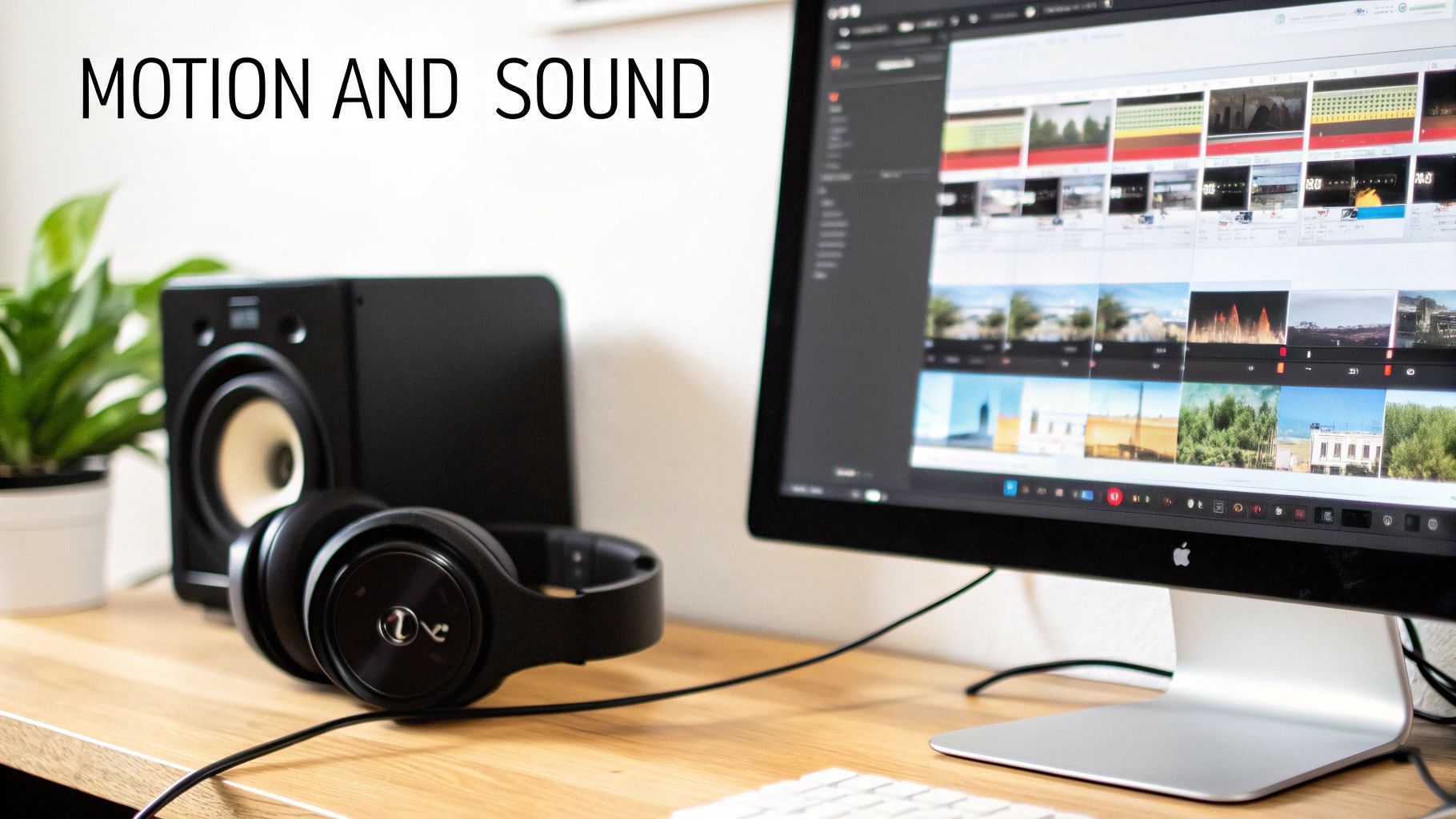
It all starts with speed. Think about how the pace of your animations can completely change the mood. A fast, snappy entrance for your text can build excitement, which is perfect for a gaming channel. But a slow, smooth reveal can create a feeling of wonder or class, which would be great for a documentary or an art video.
Mastering Smooth and Natural Motion
Ever see an animation that just felt… stiff? It was probably because things were moving at a constant, robotic speed. The secret to fixing this is a simple but super effective technique called easing.
Instead of starting and stopping suddenly, easing makes your animations speed up and slow down, just like things do in real life. A car doesn't instantly hit 60 mph; it smoothly accelerates and then eases to a stop.
This small detail makes a huge difference. Any good cinema intro maker or video software will have easing options. You’ll usually see a few choices:
- Ease In: The animation starts slow and then gets faster.
- Ease Out: The animation starts fast and then slows down for a soft landing.
- Ease In & Out: This is usually the most natural-looking one, as it smoothly speeds up and then slows down.
Making your animation feel natural isn't just a tech trick; it's a way to make your intro more believable and cool. Smooth movement is a sign of high quality.
This kind of detail is what makes pro animation so good. If you really want to level up, learning what motion graphics design is all about will give you a much better understanding of these ideas.
Elevating Your Intro with Sound Design
Now, let's talk about sound. The right music can do 50% of the work to create a mood, but great sound design is about more than just a cool song.
It’s about those small, subtle sound effects that match the action on screen perfectly. These are the details that make the whole experience feel rich and real for the viewer.
For example, when your logo flies in, add a soft whoosh sound. If your text appears one letter at a time, maybe add a futuristic click for each one. These tiny sound cues make the visuals feel more real and powerful.
I like to think of it as layering sound:
- The Music: First, you have your main background music that sets the overall mood.
- Key Sound Effects (SFX): These are the bigger, more obvious sounds for major animations, like a big reveal or a bass drop.
- Accent SFX: Finally, you add the small stuff—the whooshes, clicks, and shines—that add that final layer of polish.
By mixing smooth motion with smart, layered sound, you turn a simple animation into an awesome cinematic experience. This is the final step that will make your intro truly stand out.
Exporting Your Intro for Any Platform
You’ve spent time and energy making the perfect intro. Now for the final step—getting it out of your editor and into the world looking just as awesome as you designed it.
This last part is what separates the pros from the beginners. It might sound a little technical, but it's really just about knowing the right "recipe" for each platform. Think of it like this: you wouldn't send a huge, movie-theater-quality file to someone to watch on their phone. It would take forever to load. Using the wrong settings can turn your sharp graphics into a blurry mess or create giant files that are a pain to upload.
Let's make sure that doesn't happen to you.
https://www.youtube.com/embed/DHSw4yghUZs
Setting Up for YouTube Success
YouTube is the king of online video, and it loves high-quality uploads. The goal is to give YouTube a perfect file so that when it compresses it, your intro still looks amazing. Most video software, including any good cinema intro maker, will have YouTube presets, but knowing why you're choosing certain settings gives you full control.
Here’s my go-to recipe for a sharp 1080p YouTube intro:
- Format: Stick with MP4. It's the standard for a reason—it gives you great quality without a huge file size.
- Codec: Always use H.264. It's the most common codec for web video.
- Resolution: Export at 1920×1080 pixels (that's Full HD).
- Bitrate: I usually aim for 8-12 Mbps. This is the sweet spot that keeps the quality high without making the file massive.
Getting these settings right makes sure your intro looks just as good on YouTube as it did in your editor. If you want to really perfect your channel's look, our guide on choosing the right video intro maker for YouTube is a great next step.
Exporting for Social Media and Beyond
Every platform has its own rules. An Instagram Reel, a TikTok, and a TV commercial all have different technical needs. If you're making something for TV, it's a whole different world; this guide on understanding the process to create and air TV ads shows just how specific those rules can be.
For social media, however, the plan is simple: think mobile-first and fast-loading.
Your goal is to create a file that looks amazing on a phone screen but is small enough to load instantly, even on a weak data connection.
A lower bitrate is your best friend here. While you might use 10 Mbps for YouTube, a clip for Instagram or TikTok will look great at 4-6 Mbps. This one small change makes a big difference in file size, which is super important for people scrolling on their phones. Just remember to double-check each platform's latest rules, as they change them sometimes.
Common Questions About Cinema Intros
Even after you've got the process down, a few questions always seem to pop up. It's totally normal to wonder if you're doing it right, especially when it comes to things like budget, timing, or just feeling stuck creatively.
Let's clear up some of the most common things people ask when using a cinema intro maker. Think of this as your quick FAQ for getting better results without the stress.
How Much Should a Professional Intro Cost?
This is the big question, and honestly, the answer is all over the place. The cost really depends on how you do it. Using an online cinema intro maker with templates can be super cheap, but hiring a pro animator or a whole agency is a completely different story.
As of 2025, a high-quality, 30 to 60-second cinematic intro from an agency costs around $2,800 on average. That price can be as low as $800 for simpler stuff or as high as $12,000 or more for really complex 3D animation. The good news? Because more people are working remotely, costs have gone down by about 15%. You can see a full breakdown of intro video production agency costs on advids.co.
How Long Should My Cinema Intro Be?
When in doubt, keep it short. In the super-fast world of online video, you only have a few seconds to make an impression before someone scrolls to the next thing.
Your intro’s job is to hook the viewer, not bore them. Go for impact, not length. Every second counts, so don’t waste any.
A good rule of thumb is to keep your intro between 3 and 7 seconds. That's the sweet spot—just enough time to show your brand and set the mood without making people want to skip it. Going over 10 seconds is risky unless you're making a movie or a long TV show where people expect a longer opening.
What if I Run Out of Creative Ideas?
It happens to everyone. You stare at a blank screen, and every idea feels boring. When you get stuck, the best thing to do is step away and find some fresh inspiration.
Here’s where I usually go for ideas:
- Movie Title Sequences: I'll watch the opening credits of my favorite movies and break down what makes them so cool. How did they use text, motion, and sound to set the mood? It’s like a free masterclass.
- Creator Portfolios: I'll check out sites like Behance or Dribbble to see what other designers and animators are creating. You can find tons of cool and innovative ideas there.
- Music First, Visuals Second: Sometimes all you need is an awesome song. I’ll find a piece of music that has the exact feeling I want and let that inspire the visuals.
Don't overthink it. Often, the best intros come from the simplest ideas.
Ready to skip the learning curve and get a stunning, professional intro made for you? At Priyansh Animations, we specialize in creating custom, high-quality cinematic intros that make your content stand out. Choose a style you love, send us your text, and let us handle the rest. Get your perfect intro today at https://www.priyansh.net.